This is a Guest post by James Adams, If you want to contribute feel free to contact me.
Thanks to CSS, we can now define a website’s appearance in a fraction of the time we used to, but why stop there? A good CSS editor can make the entire CSS process even faster, more accurate and just more enjoyable. Most of us use Dreamweaver for all of our CSS editing needs, but it’s expensive and doesn’t offer some of the features you get from cheaper, often free alternatives.
First-rate CSS editors make writing CSS much easier, but that’s not all they’re good for. The vast majority will check your CSS for errors and let you delve into the code associated with your sites and the sites of others. With so many people now using these CSS editors, support it very easy to get hold of. There are loads of inexpensive editors available, so why not give a couple a try? You’ll find a review of the 10 best below.
1. Notepad++ (free)
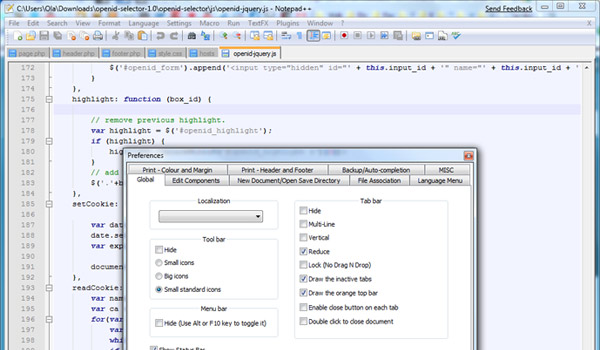
Windows users can’t do much better than the free source code editor, Notepad++. Besides a long list of features, which includes auto-completion, syntax highlighting, bookmarking, drag and drop and regular expression search/replace, Notepad++ has been designed to be good to the environment, using as little CPU power as possible. Users can feel smug in the knowledge that their editor is actively reducing their greenhouse gas emissions!
Notepad++ is not just for editing CSS. You can use it for editing C, C++, Java, PHP and a whole host of other programming languages. Its tabbed interface is great, letting you work on several projects simultaneously, and all icons used are instantly recognisable. Furthermore, Notepad++ has been around for a while now, so does not suffer from the bugs which afflict many newer editors.
2. Style Master ($59.99)
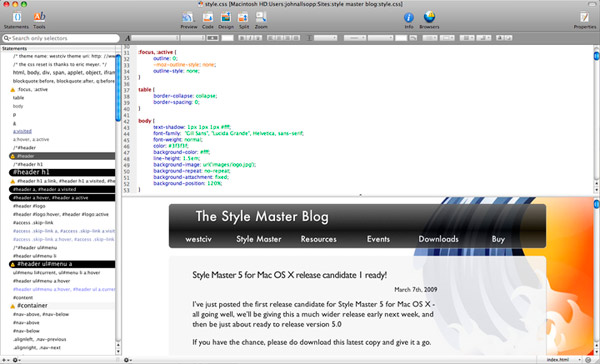
Style Master, for Mac and Windows, is an editor suitable for beginners and experts alike. Newcomers to coding will find its in-depth tutorials easy to follow and old hands will be impressed with the number of features on offer for analysing and debugging sites.
Such features include MRI, which suggests selectors for any element you click on, and X-ray, which reveals the dimensions, padding, margins and position of any element and works in Safari, Firefox and Internet Explorer. Style Master comes with 20 handy CSS templates for you to use, all of which are perfectly clean and well laid out.
3. Stylizer (free version)
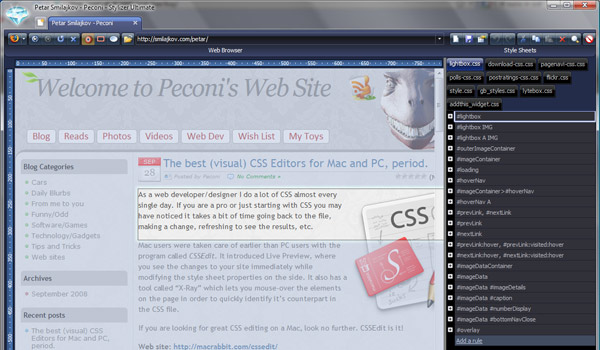
Available for Mac and Windows, Stylizer, from Canadian company Skybound, helps you to create and edit CSS fast. It places a website and stylesheet side-by-side, so that you can see every change you make in real time. No longer, therefore, will you have to rely on writing in a text editor and constantly refreshing a browser window. Its grid-like interface looks superb, is extremely user-friendly and makes CSS errors a thing of the past. Image replacement, clear fixes, positioning and other complex techniques are made much easier for CSS novices.
Stylizer’s strongest features include Bullseye, an inspector which uncovers all the CSS rules affecting any element you click on; Cleanser, which parses and validates any CSS you import; and Two Click Colouring, which helps to simplify the colour picking process. Stylizer is ideal for beginners who want to be able to code without learning the boring basics.
4. PSPad (free)
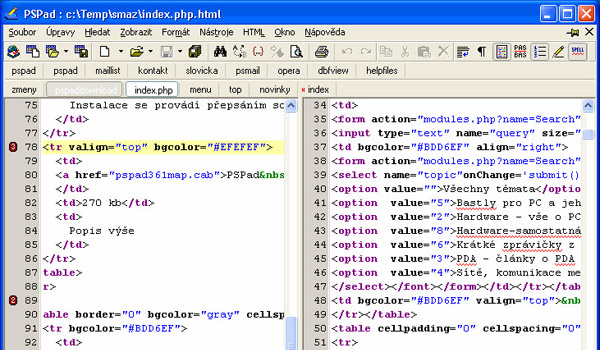
PSPad is a versatile editor for Windows. It’s a small programme, just 3.1MB to download, but carries real weight with many developers. It specialises in syntax highlighting and can deal with a large number of file types. Standard features include templates, search and replace in files, a HEX editor and an integrated free version of the superb CSS Editor, TopStyle Lite, which must be downloaded separately. Even if you’re just looking for a standard text editor, PSPad could be the one for you- its character and word frequency checker is ideal for those writing keyword-based articles.
5. Xyle Scope (free)
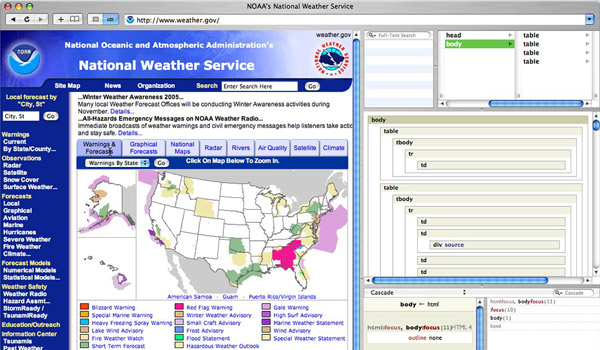
Cultured Code’s free CSS suite for Mac, Xyle Scope, is a very accomplished and highly recommended programme. Users can run it in Browser Mode, which lets you surf the web in Safari, or Selection Mode, which brings up the HTML and CSS associated with any part of a displayed web page you click on, allowing you to correct annoying CSS errors.
Although primarily designed to let you uncover and investigate code, Xyle Scope can also be used as a CSS editor. It also integrates well with superior, external text editors like BBEdit, TextMate and TextEdit. You can enter CSS yourself or let Xyle Scope help you if you’re a beginner.
6. Stylesheet Maker ($34)
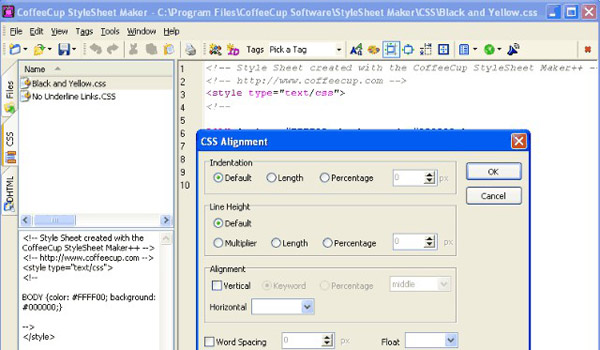
CoffeeCup’s Stylesheet Maker, Windows only, is a nice and simple CSS editor which lacks some features of more technical rival software, but makes up for it with straightforward design. You can use it to open, edit and save in CSS, HTML and .txt formats, and create CSS for Netscape and Internet Explorer, testing it in multiple browsers. This is really one for beginners only. They’ll love the class and ID wizards which greatly help in creating full-featured CSS with control over text placement, fonts and backgrounds.
7. CSSEdit ($30)
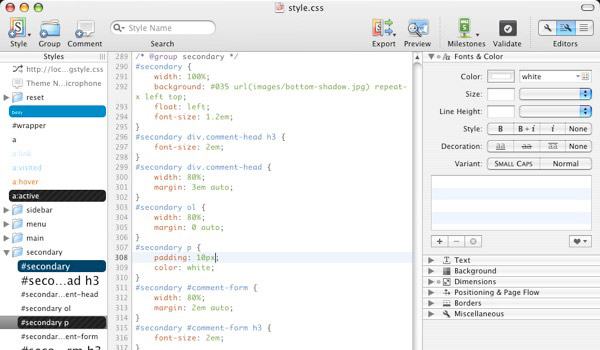
CSSEdit, by Mac Rabbit, is a highly effective, well structured and pretty cheap CSS editor which you’re bound to enjoy using. Available for Mac only, it’s been designed solely with CSS in mind, unlike some of the other editors in this list. It works perfectly with TextMate (which is a very cost effective combo, by the way) and in harmony with other external programs, like Transmit.
CSSEdit’s packed full of great features, which include Preview, which makes changes to your website in real time (no refreshing) and X-Ray, which shows you exactly where an element is on your page. My favourite feature, however, is Milestones, which lets you fix bugs without the fear of losing work. I recommend you heed the CSSEdit warning: May cause extremely attractive websites and bouts of validating code. Use with care.
8. JEdit (free)
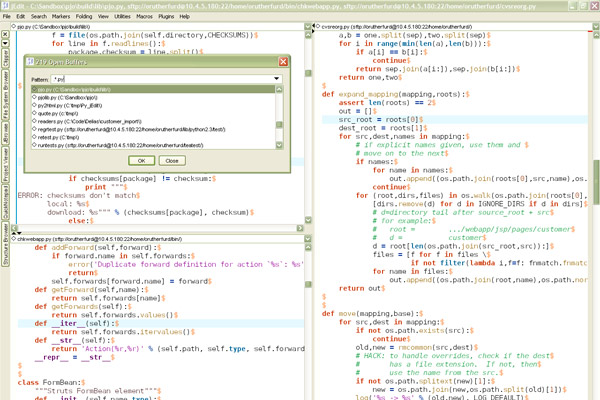
While novices will find Stylizer and CSSEdit much easier to get to grips with, JEdit, for Windows, Mac and Unix, is one for the experts. Developers can use it to edit, auto indent and syntax highlight over 130 languages.
What separates JEdit from other editors is the 150 or so plugins available, which have been released over the past 12 years since it was first created. These include spell checker using Aspell, text auto-complete and the XML plugin that’s needed for editing CSS, as well as XML, HTML and JavaScript. Besides plugins, you can customise with macros to create your ideal editing environment.
9. Style Studio ($49.99)
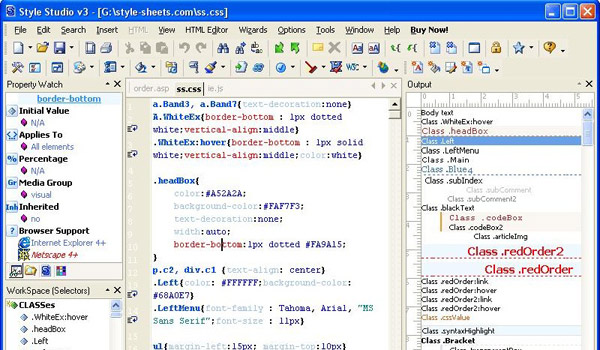
Style Studio CSS Editor, for Windows, has been designed to make CSS quick and easy to write and implement. Drag and drop, auto-replace and custom hotkeys for code snippets reduce your CSS struggle. Its inbuilt CSS validator makes sure that your CSS is clean and error-free every time as it automatically pinpoints problems. Its Browser Filter detects the browser your visitors are using, adjusting the CSS accordingly so your site’s always looking at its best. Windows users will feel instantly at home using Style Studio as it has been closely modelled on MS Office 2000 and XP.
10. Rapid CSS 2010 ($29.85)
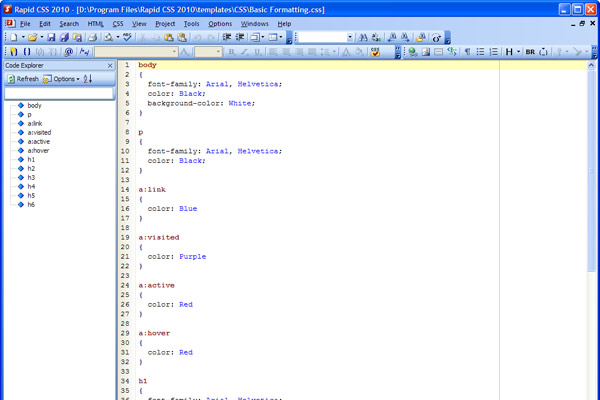
Rapid CSS 2010, from Blumentals Software, is a popular CSS editor which can save you lots of time and effort. Beginners will appreciate the fact that they can get Rapid CSS to write CSS for them, rather than inputting it manually, and everyone will love its CSS Checker and Validator, similar to that of Style Studio, which allows you to instantly target and fix problems. Rapid CSS is also integrated with CSE HTML Validator for extra safety.
Besides the CSS Checker, other extremely handy features in this Windows only editor include the multi item clipboard, X-Ray (similar to CSS Edit), search and replace in files, CSS code compressor, built-in CSS reference and CSS inspector, which adds, removes and modifies CSS properties without the need for property names.
Here is one more great free editor: http://www.codelobster.com
NetBeans PHP 7.4 it’s FREE, support PHP,HTML5,CSS3,SASS,LESS,Emmet,etc.. Real time test on Android devices.. auto code-formating..
https://netbeans.org/features/php/