
In this post you’ll find out about amazing WordPress plugins based on jQuery UI. jQuery is a fast and concise JavaScript Library that simplifies HTML document traversing, event handling, animating, and Ajax interactions for rapid web development. jQuery is designed to change the way that you write JavaScript. Below is a list of 25 surprisingly amazing best jQuery based WordPress plugins. I hope you will like the list and will use one of these plugins on your blog . Feel free to Subscribe if you would like to be informed for the latest posts.
You may be interested in these older posts
15 Free Awesome Social Bookmark Icons Sets
5 Essential Google Cheat Sheets Which Surely Will Come in Handy
16 WordPress Plugins Everyone Must Install
1. WordPress jQuery Lightbox Plugin

Used to overlay images on the current page. You can check for more information and samples here.
2. WP-Slimbox2 Plugin

A WordPress implementation of the stellar Slimbox2 script by Christophe Beyls (an enhanced clone of the Lightbox script) which utilizes the jQuery library to create an impressive image overlay with slide-out effects.
3. Carousel Gallery (jQuery)

This plugin tweaks the gallery tag in WordPress 2.6 thusly by replacing it with a javascript carousel.
4. jQuery lazy load plugin

Lazy loader delays loading of images in (long) pages. Images below the fold (far down in the page) wont be loaded before user scrolls down. This is opposite of image preloading. Using lazy load on long pages containing heavy image content makes page feels snappier. Browser is in ready state after loading visible images. No need to wait for unknown amount of pictures to load.
5. jQuery Comment Preview
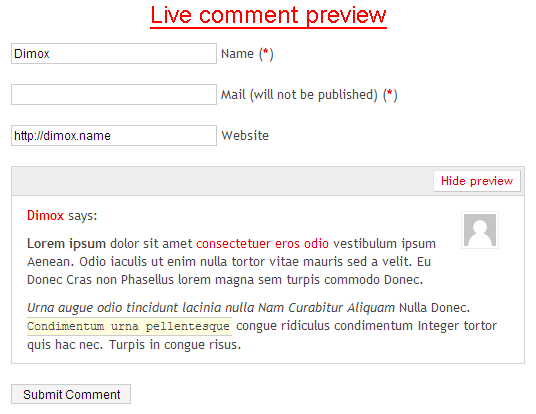
Live comment preview without page reboot. Works on jQuery.
Features:
- Live comment preview, which does not take that extra space on the page.
- Simple HTML-editor (instruction on using the editor are on the plugin options page).
- You can customize comment preview block as you wish. You can display: comment author name, avatar (static or dinamic using gravatar.com), comment date and time, comment text. All this can be designed with CSS.
- You may don’t connect plugin’s CSS file (optional) if you wish to reduce number of queries to your server.
- Plugin’s JS and CSS files are connected only on the pages with comment form.
6. WordPress post information plugin

If real estate is a priority in your theme then this plugin can help by showing post metadata information on demand by using a JavaScript toggle function.
7. Snazzy Archives

Snazzy Archives is a visualization plugin for your WordPress site featuring an unique way to display all your posts. Your archive page will never be boring again!
8. Audio Player

Audio is a slim (450 Bytes!), fast plugin to create a flash mp3 player when mp3 links are clicked. In order to reduce clutter and file transfer, the links are unmodified until they are clicked, at which point a div with the player is faded in after the link. A second click on the link fades the player back out.
9. Mint Plugin
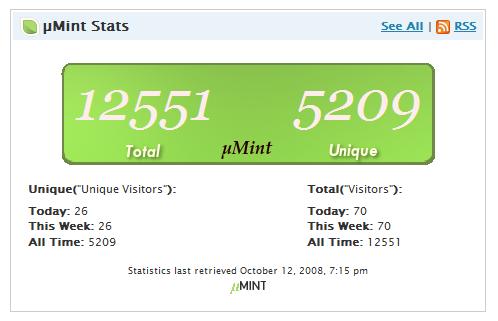
Mint is a slim plugin to integrate statistics from Shaun Inman’s Mint statistics package into WordPress*. Mint does require a valid Mint installation to function.
10. jQuery Reply to Comment
Add “reply” and “quote” features on each comment list. If you have jQuery installed on you blog, this Plugin add two link in each comments list (on single page). This plugin can auto include “jQuery from Google Ajax API repository”. You can also choose to use only “jQuery only” (only Javascript) or a mix of “jQuery/PHP”. Thanks to Cristiano Fino’s Plugin for original idea. If you doesn’t use jQuery please visit Cristiano Fino’s Plugin
11. GD Star Rating

GD Star Rating plugin allows you to set up rating and review system for posts, pages and comments in your blog. You can set many options for displaying the rating stars, and also add widgets into the sidebars for displaying top ratings and other statistics generated by the plugin.
12. jQuery-Pagebar

jQuery-Pagebar show instead of the next and prev links a jQuery slider as a modern pagebar. So it’s easy to navigate through many pages.
13. jQuery Lightbox For Native Galleries
Makes the native WordPress galleries use a lightbox to display the fullsize images. The lightbox used in this plugin is currently the jQuery lightBox plugin by Leandro Vieira Pinho.
14. TinyMCE Advanced
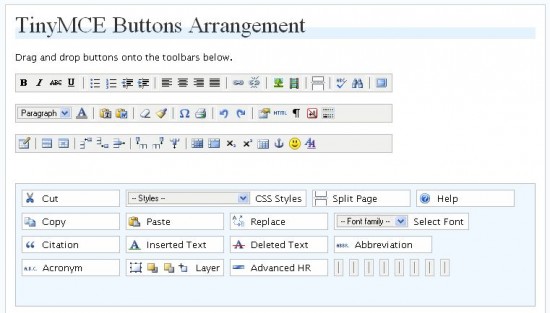
This plugin adds 15 plugins to TinyMCE: Advanced hr, Advanced Image, Advanced Link, Context Menu, Emotions (Smilies), Date and Time, IESpell, Layer, Nonbreaking, Print, Search and Replace, Style, Table, Visual Characters and XHTML Extras.
15. WP-Imagefit

Rather than relying on a CSS or HTML-driven approach to resize large or wide images, WP-Imagefit relies on Javascript to proportionately resize images based on the width of the containing column.
This plugin is currently compatible with an hAtom-based theme like K2 or Sandbox.
Original jQuery Imagefit plugin written by Oliver Boermans.
16. WP-CodeBox
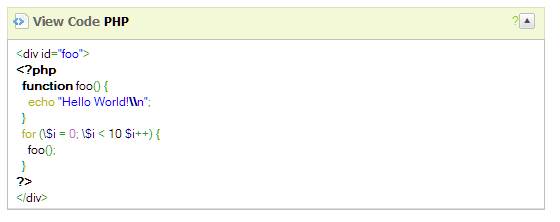
WP-CodeBox provides clean syntax highlighting and AJAX advanced features for embedding source code within pages or posts. It support wide range of popular languages highlighting with line numbers, code download, Copy to clipboard, collapse codebox,automatic keywords link to API manual and maintains formatting while copying snippets of code from the browser.
17. Advanced Spoiler
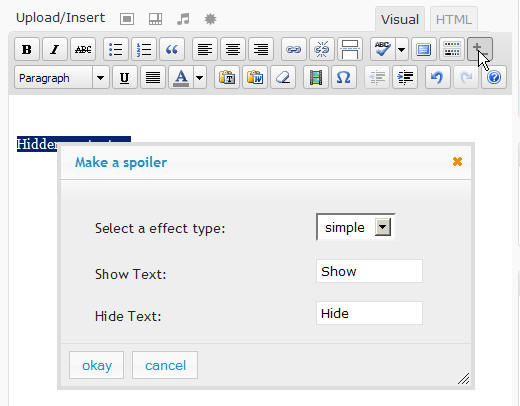
New version of Ajax Spoiler plugin renamed to ‘Advanced Spoiler’.
Show or hide contents(text, image etc.) with animated effects wrapped by spoiler markup tag([spoiler][/spoiler]).
18. PixoPoint Menu Plugin

Adds an SEO friendly, accessible regular or dropdown menu to your WordPress blog. Visit the PixoPoint Menu Plugin page for more information about the plugin, or the PixoPoint forum for help with adding the menu to your theme.
19. Google AJAX Translation
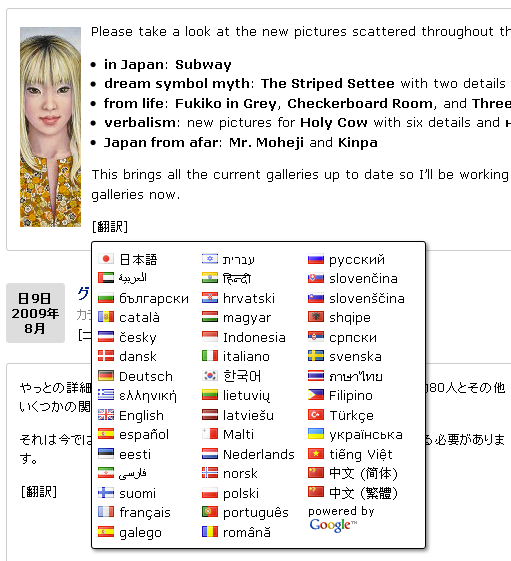
The Google AJAX Translation WordPress plugin provides a quick, simple, and light way to add translation to your blog.
20. Quick Search

Quick Search add AJAX Search to your site sorting results by Posts, Page and Comments. You can easly customize the popup menu style by modifying the file quick-search.css. You can find some option through the ‘Plugins’ menu in WordPress.
21. Highlight Search Terms
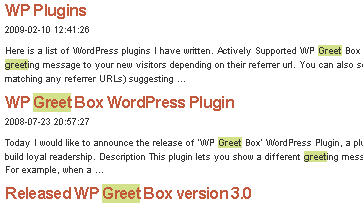
Highlights search terms using jQuery when referer is a Google, Yahoo or Lycos search engine or within WordPress generated search results. This plugin is a light weight, low resource demanding and very simple fusion between How to Highlight Search Terms with jQuery – theme hack by Thaya Kareeson and Search Hilite by Ryan Boren.
22. Image Drop Shadow
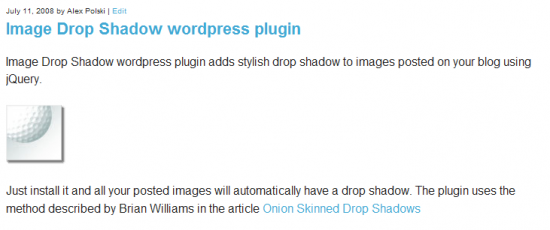
Image Drop Shadow wordpress plugin adds stylish drop shadow to images posted on your blog using jQuery. Just install it and all your posted images will automatically have a drop shadow. The plugin uses the method described by Brian Williams in the article “Onion Skinned Drop Shadows” –
23. Accordion Image Menu Plugin
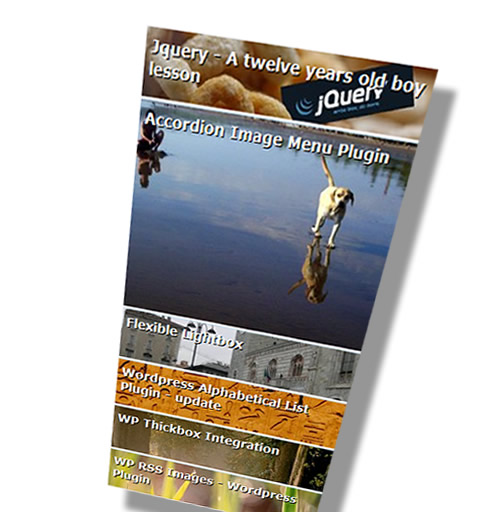
This is a different menu that uses your post images as a background. You can insert the menu wherever you want: content, php files or widget if your theme allows it. Visit the plugin page for demo and details.
24. Flexible Lightbox
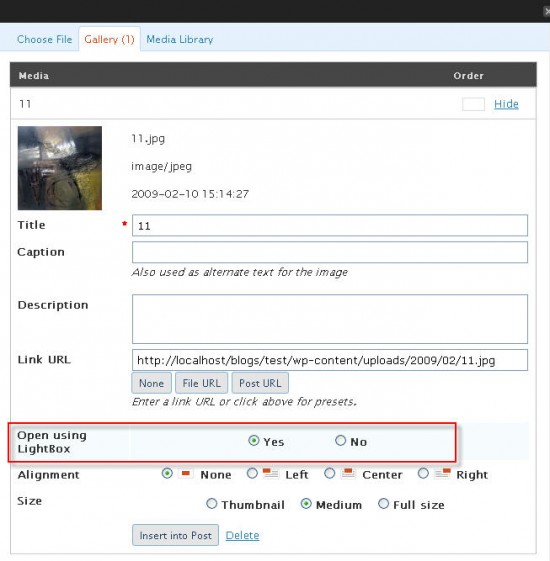
This plugin allows to use the Lightbox features for images and wordpress galleries without touching the html code. It includes an option ‘Open using lightbox’ on the Setting Panel to be used before inserting the single images on your post.
25. Comment Validation
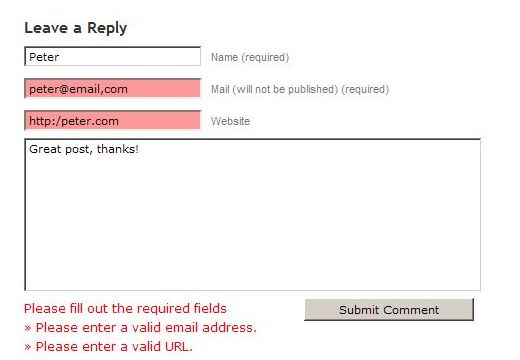
Ever got annoyed when submitting a comment on a wordpress blog and just getting a blank page with a error message like “please fill out required fields” and nothing else? This plugin aims to help by adding validation to the comment form. When a user submits the form and something is missing, an appropiate message is displayed and individual fields are highlighted. When the email or url is in an incorrect format, a message is displayed accordingly.
Very attractive djQuery based WordPress Plugins. Awesome collection. Thanks for sharing this nice post.
.-= W3planting´s last blog ..19 Top Quality Logo Inspiration Sites =-.
Very nice collection.. You Rock Naeem
Brilliant collection. I’m big fan of jQuery && WordPress
.-= k0ev´s last blog ..А ничего не вижу… =-.
thanks for this great post.
.-= designfollow´s last blog ..Build a Slick Rich User Interface in Photoshop =-.
Am not and Geek but intrested in doing some of the mentions. Thanks for sharing Naeem 🙂
Awesome collection of plugins 🙂 . Thanks for sharing this nice post.
Stupendous! Thanks for these.. jquery is something everyone that uses wordpress should experiment with. Thank you again
I suggest to try new free PHP IDE Codelobster PHP Edition with special WordPress plug-in.
Hi, I found cool flash photo galleries plugin for WordPress. Named GRAND Flash Album Gallery – multi category flash skin based photo gallery with powerful admin. I used it in my blog. There are so many different settings. You can adjust the color scheme for your blog as you wish. There are many different skins. You can present your photo gallery in a wonderful way, there is a full-screen mode. This is a very cool plugin.
[ … ] link is being shared on Twitter right now. @zenx, an influential author, said RT @1ndus: Xtreme [ … ]
All these plugins are great. Thanks
.-= facebook applications´s last blog ..J2ME Applications – J2ME Application Developers – J2ME Application development =-.
I would like to comment on the blog by adding that web standards are greatly important. See what is now taking place between HTML5 and Apple.
Another set of great jQuery plugin…u r rocking 🙂
.-= eONs´s last blog ..Enjoy BreastFeed 2010 Mid Year Sales =-.
Nice article, but does image shadows justify a whole plugin? =)
cool jquery plugins for wp collections!!
very helpful pugins. will be using some of these. thanks! 🙂
Very cool round-up.
I also created a plug-in which offers some pretty cool jquery awesomeness, check it out at http://www.OptinBar.com
Thanks Again!